
ElectronBot - Desktop Companion Robot
A redesign of the open-source ElectronBot with added touch, voice, and peer-communication capabilities
ElectronBot
ElectronBot is a desktop companion robot based on Peng Zhihui’s open-source project. The original design features 6 degrees of freedom, a built-in camera, gyroscope, and gesture sensor — all packed into a palm-sized body. This project extends the original with touch sensing, voice input/output, and the ability for multiple robots to connect and communicate with each other through pogo-pin docking.
| Front view | Side view |
|---|---|
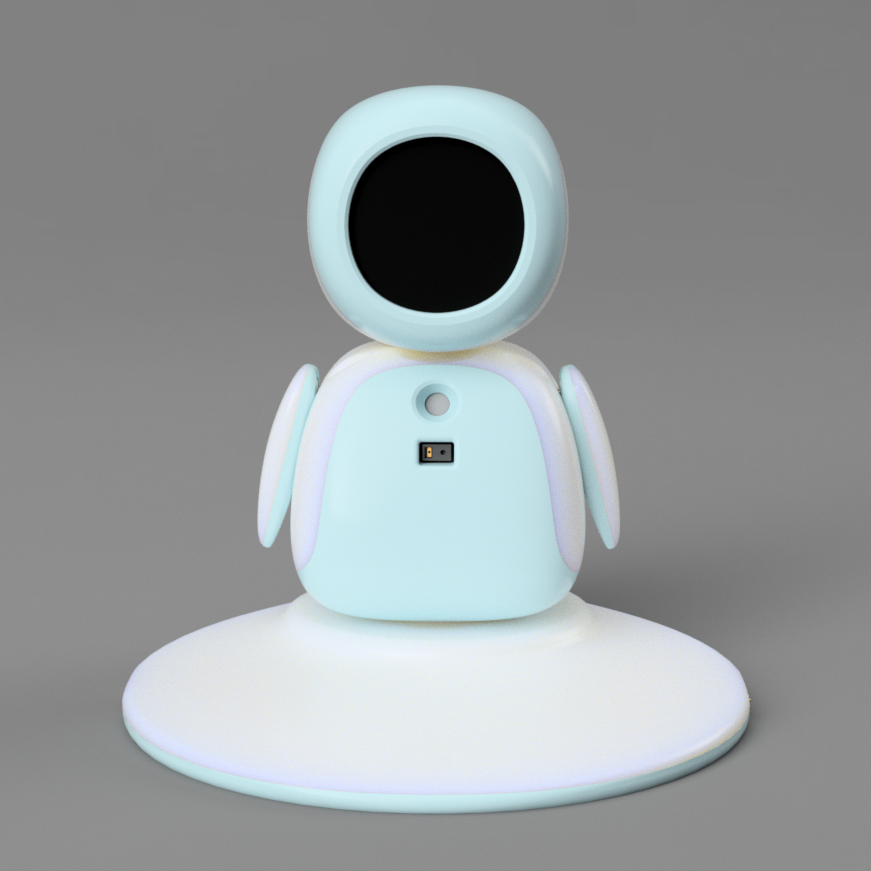 |
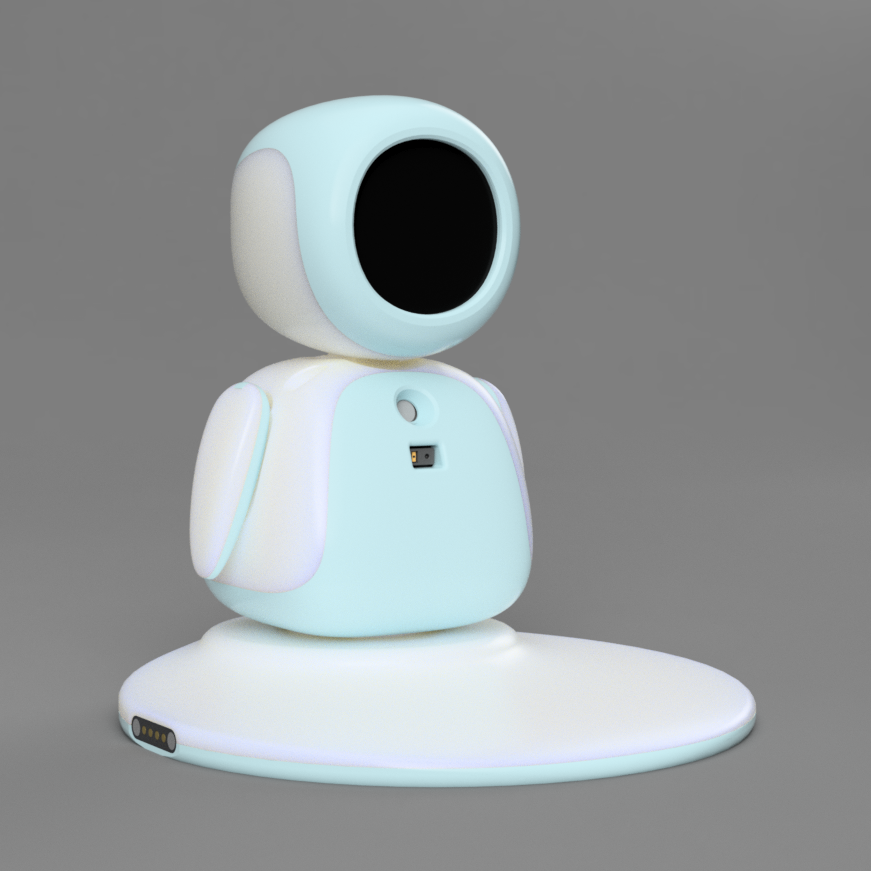 |
Background
The original ElectronBot by Peng Zhihui is one of the most popular open-source robot projects — a cute desktop robot with expressive motion and a round OLED face. While the base design is well-engineered, it functions as a standalone unit with no way to interact with its environment beyond gestures and its screen. This project aims to turn ElectronBot into something more: a robot that can listen, speak, feel touch, and team up with other ElectronBots.
Planned Features
Touch sensing — Capacitive touch zones on the head and body so the robot can respond to physical interaction.
Voice I/O — A built-in microphone and speaker for voice commands and spoken responses, turning the robot into a conversational desktop assistant.
Peer communication — Pogo-pin connectors on the base allow multiple ElectronBots to physically dock and exchange data, enabling coordinated behaviors across a group of robots.
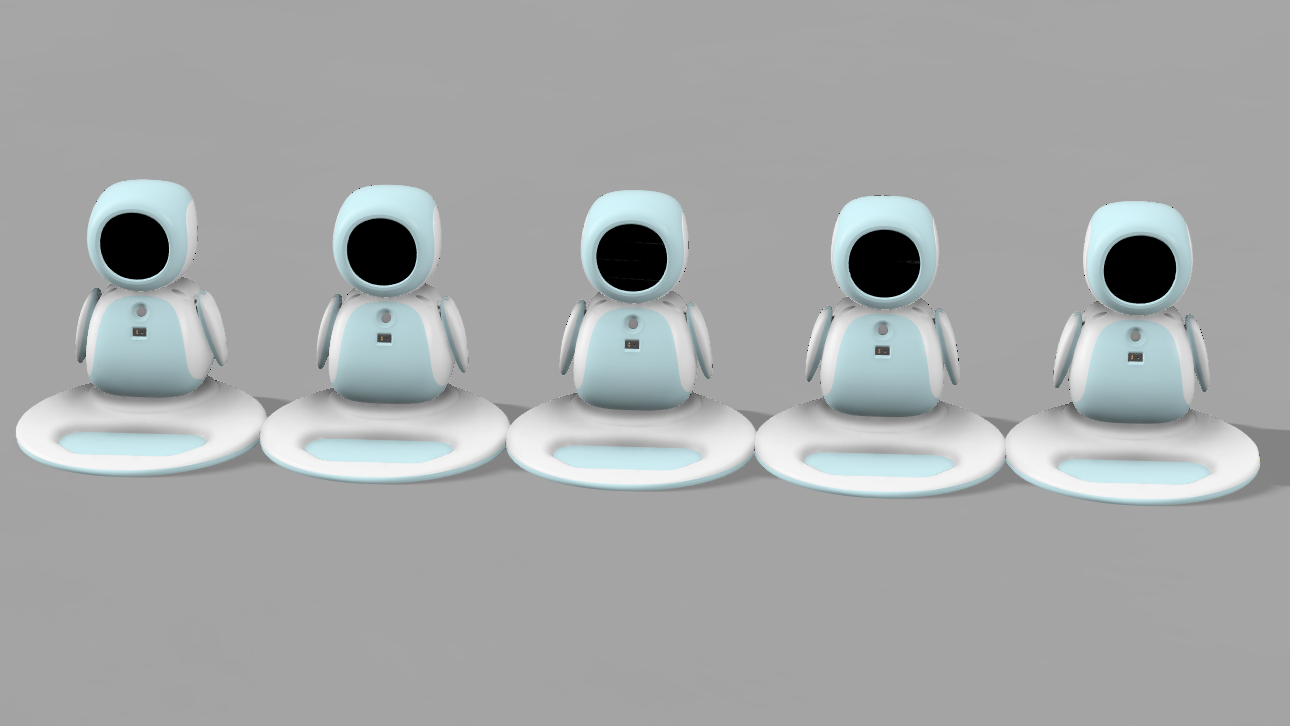 Concept render — five ElectronBots connected through their docking bases
Hardware
The electronics are built around two custom PCBs connected by flat flex cables. The main board carries the STM32 microcontroller, USB-C interface, and connectors for the six servo motors that drive the robot’s joints. The secondary board handles the additional sensors and the speaker.
| Hardware overview | PCB close-up |
|---|---|
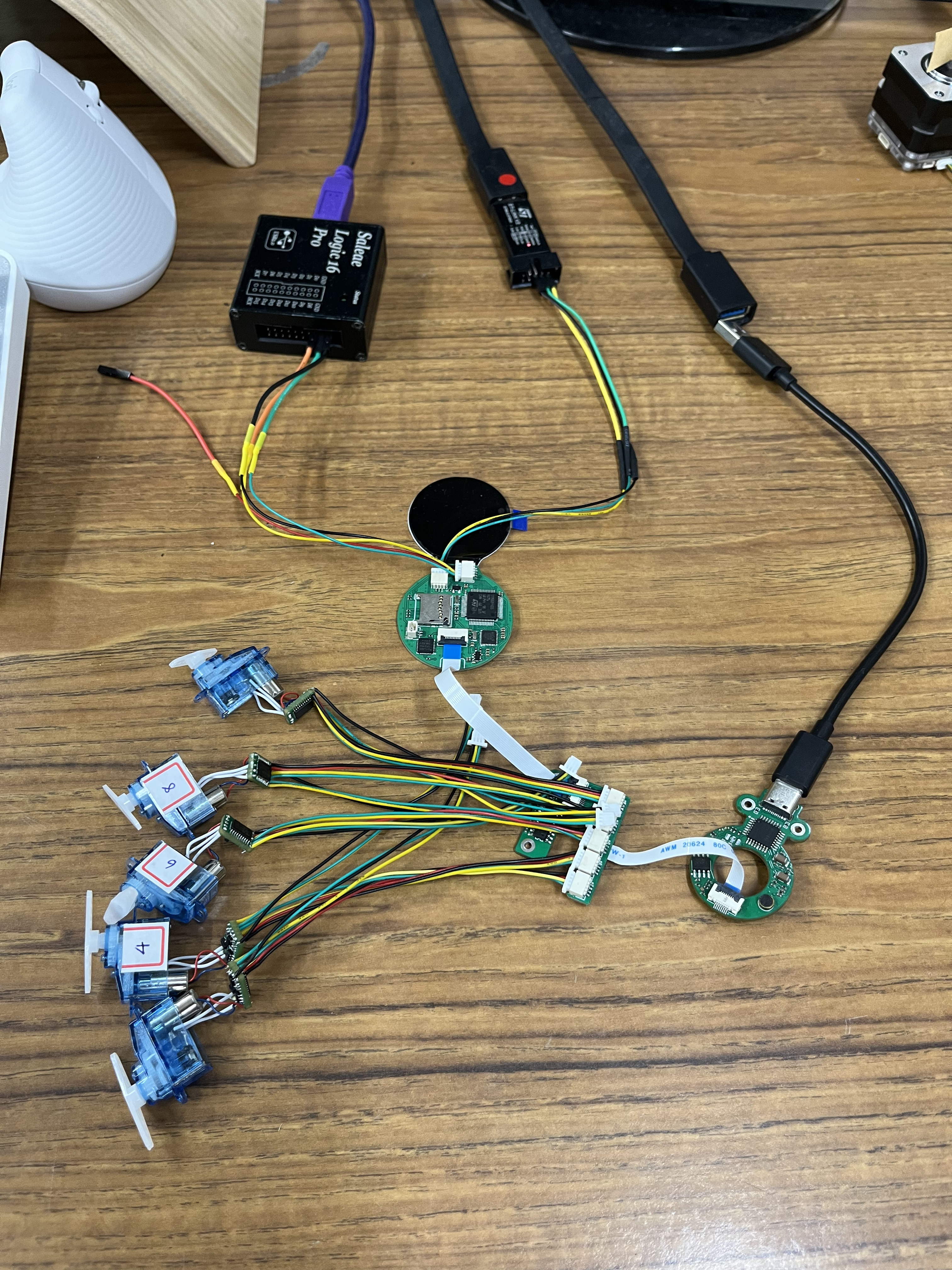 |
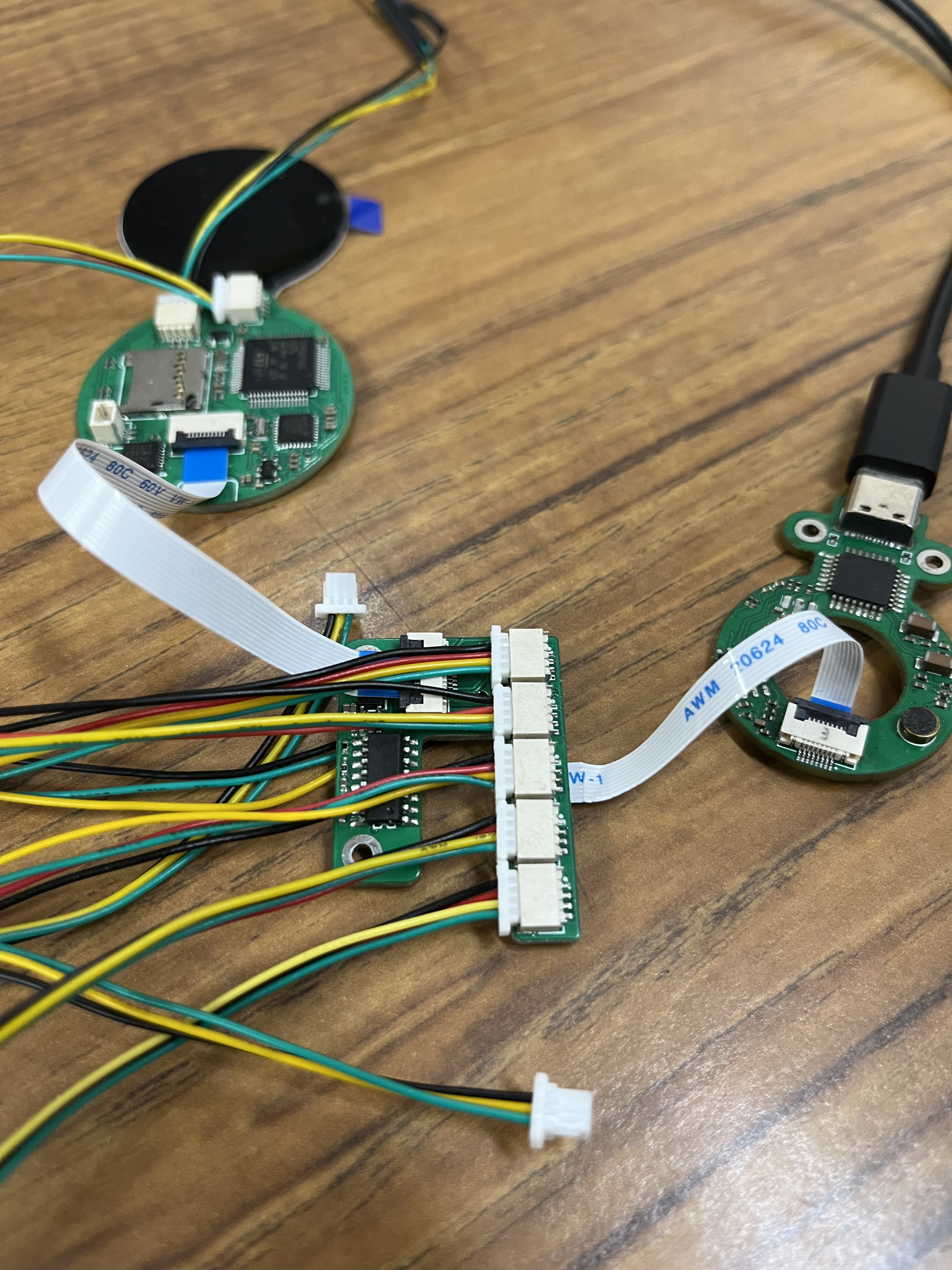 |
The servo motors are compact units wired through JST connectors to the main board. Getting all six channels plus the new sensor and audio lines routed on a circular PCB this small was the most challenging layout work in this project — particularly with 0402 passives that pushed my soldering limits.
PCB Layout
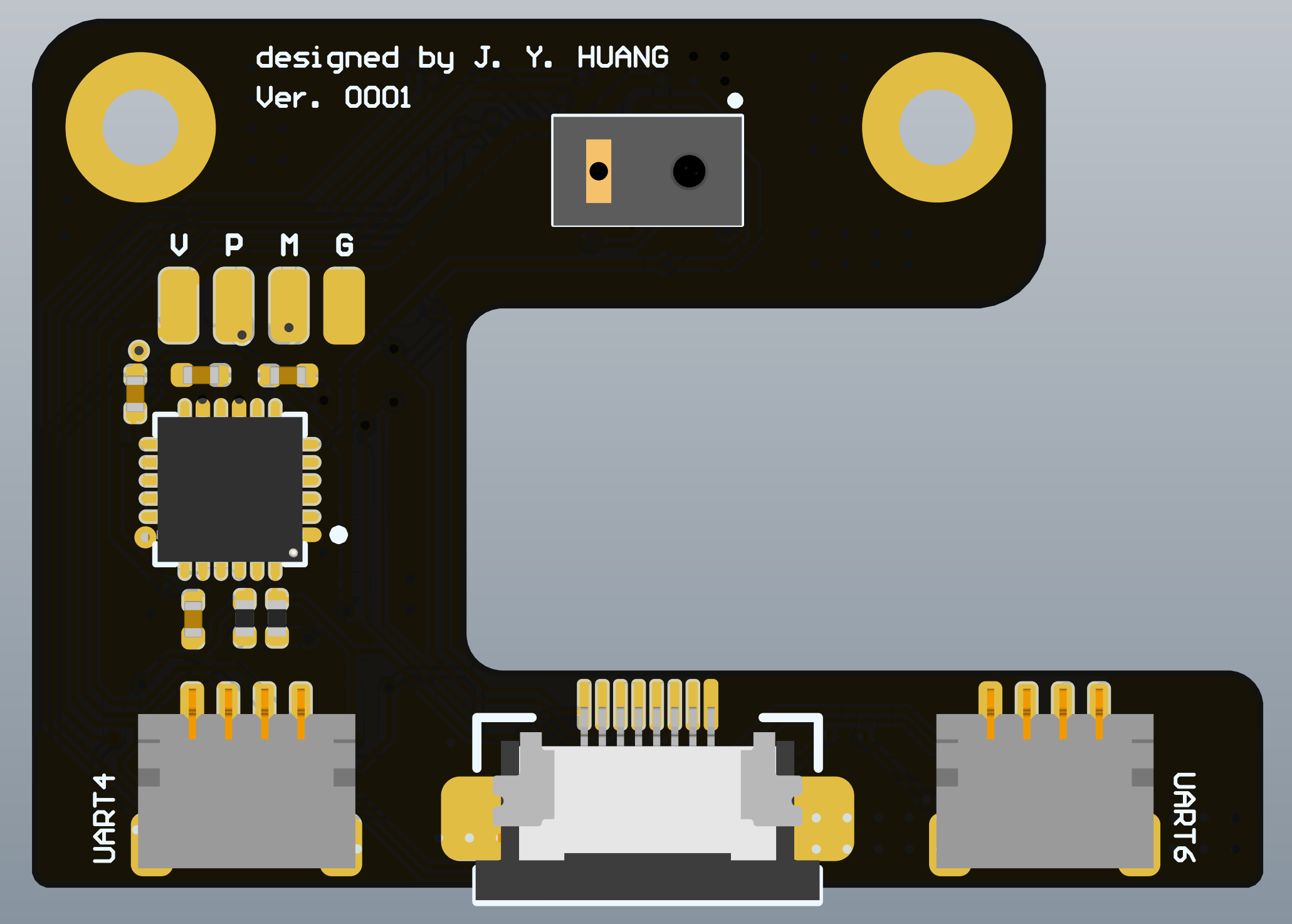
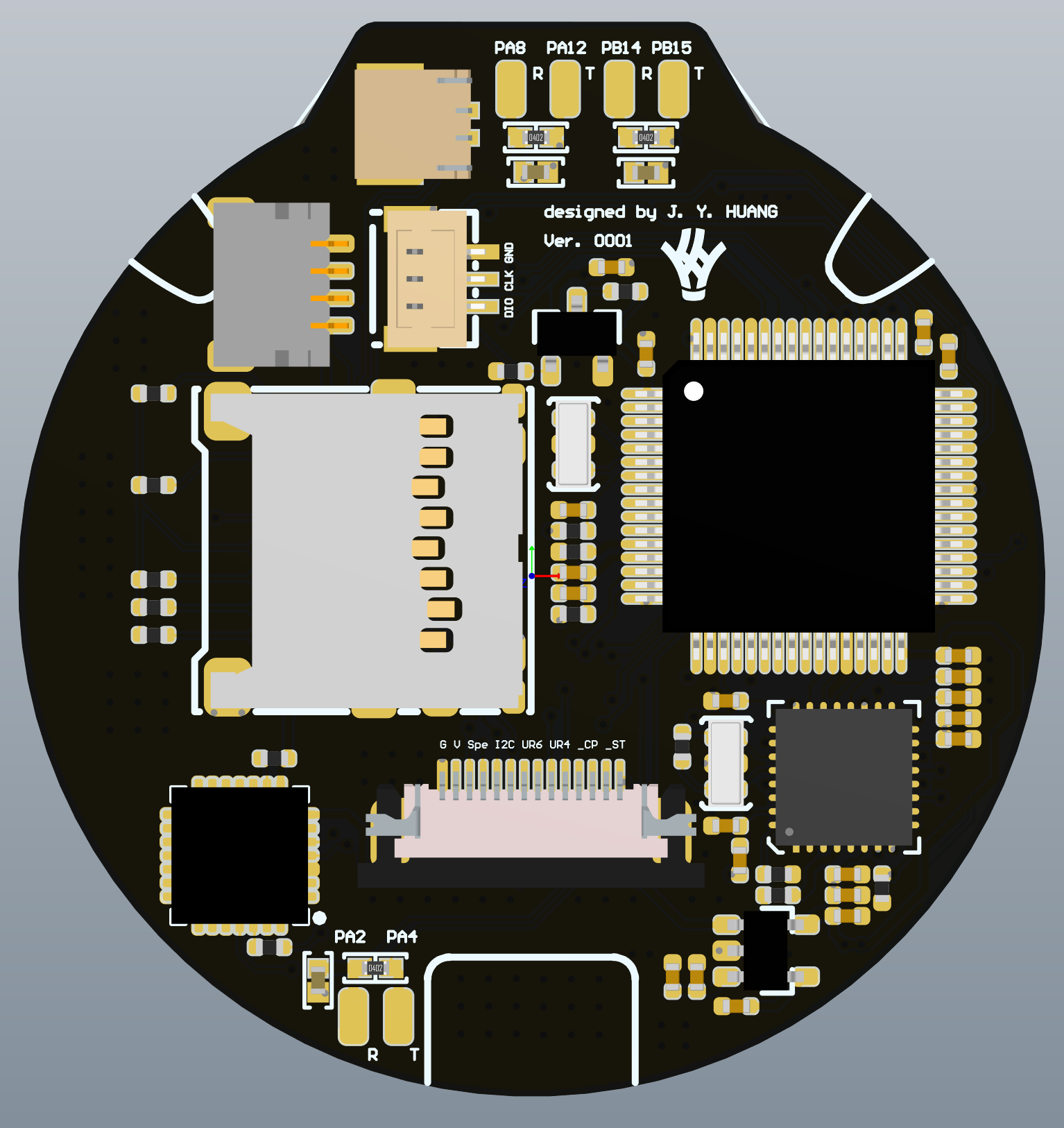
Two custom boards handle the added voice and touch capabilities:
| Sensor board (voice) | Main board (voice & touch) |
|---|---|
 |
 |
Software Architecture
The software stack follows the original ElectronBot’s layered architecture. At the bottom, ElectronLowLevel communicates with the hardware over USB using libusb and OpenCV. Above it, ElectronPlayer provides motion control APIs (connect, play, set/get pose). ElectronUnityBridge exposes native callbacks for the Unity-based ElectronStudio application, which provides a visual interface for posing and animating the robot.
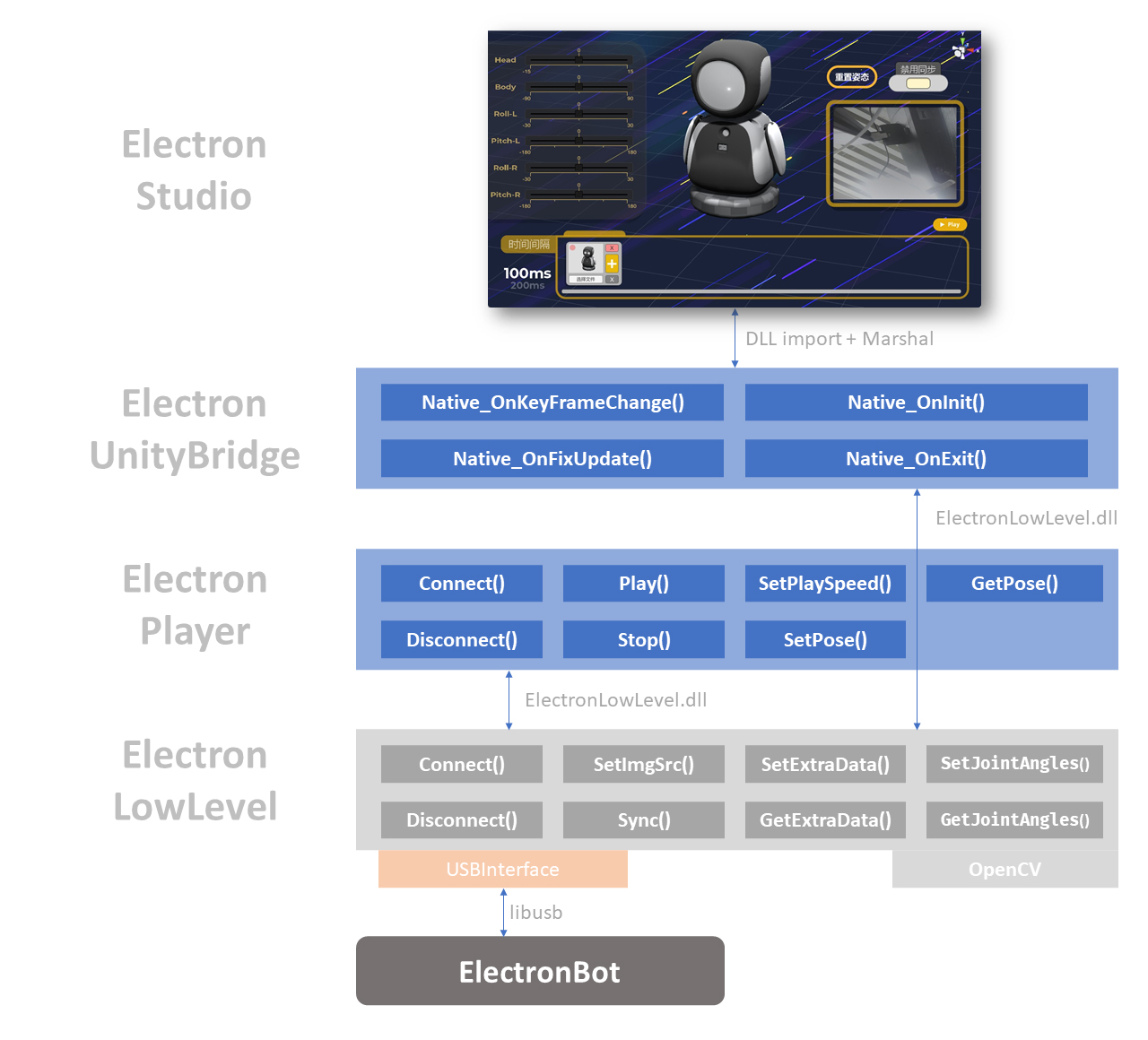
ElectronBot software stack — from low-level USB to the Unity studio interface
Current Progress
The base robot hardware is assembled and the servo motors are responding to commands. Below are test videos of the servo and motion control working on the bench:
Servo motor test — verifying joint response
Motion test — coordinated multi-joint movement
What’s Next
- Integrate capacitive touch sensors into the 3D-printed shell
- Add microphone and speaker circuits to the secondary PCB
- Implement voice command recognition on the STM32
- Design and test the pogo-pin docking mechanism for peer communication
- Firmware for multi-robot synchronization over the docked interface